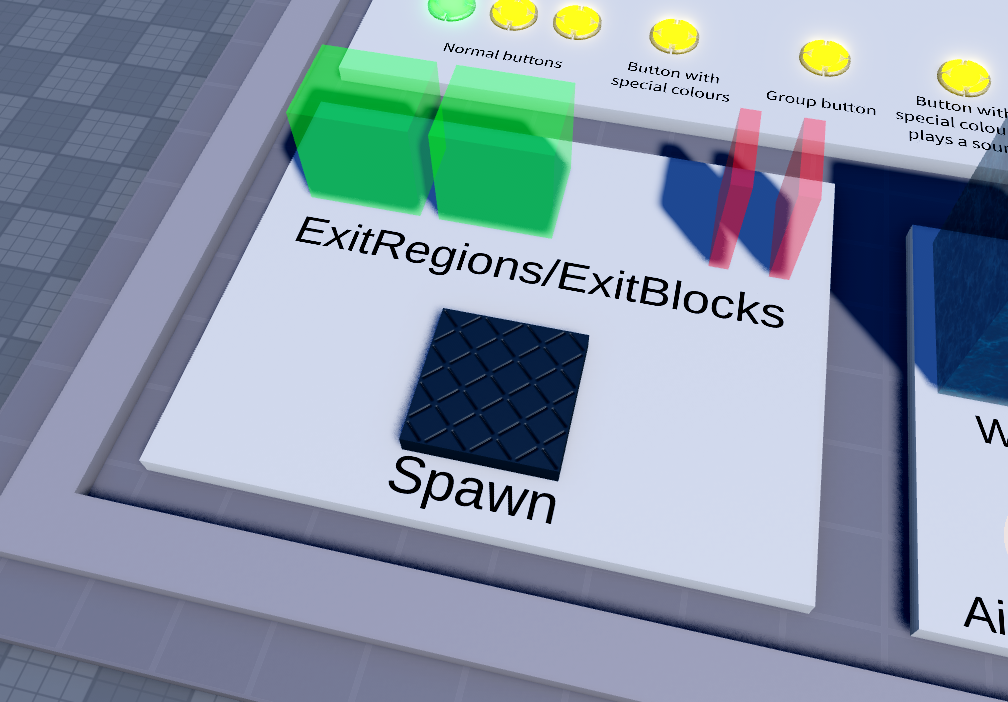
Spawn
This black plate is the spawn of your map. Players can spawn anywhere on top of the spawn part, and you can resize the spawn as well. I wouldn’t make it any larger than this, but you can make it as small as you want if, for example, you want players to spawn in the exact same place every time, or to accommodate a smaller spawn room.
Players will spawn facing in the direction marked by the green side of the spawn, which makes it easier to orient so, let’s say, players don’t spawn facing backwards. Once you’ve got it in a good position, you can make the spawn transparent and cancollide false using the properties window, and delete the green SurfaceGui.
Exits
Exits consist of two parts: an ExitRegion, and ExitBlocks to keep them inside the ExitRegion. When a player enters the ExitRegion, they’ve beaten the map, and all ExitBlock parts turn CanCollide true for the player. You can move, rotate, and resize them as much as you want.
As you can see in the explorer, there’s an Exit folder under the Special folder, and inside it are two additional folders named ‘ExitRegion’ and ‘ExitBlock’. You can actually have multiple exits, and any parts under the ExitRegion folder will act as an exit. Of course, you should probably make all of them transparent as well once you’re done with the map. All ExitRegions and ExitBlocks must be made CanCollide false before saving your map.